
Download Videobox – Fast YouTube & Google Video Search, Download and Convert Tool
Overview
Videobox is a lightweight desktop widget that lets you search, preview, and download videos from the two biggest online video platforms—YouTube and Google Video—without opening a browser window. Designed primarily for Mac users, the application pulls video results based on the keywords you enter, then converts the chosen clip into a native QuickTime (.mov) file that plays instantly on macOS, iPod, iPhone, or iTunes. The primary benefit of Videobox is its ability to preserve videos that might later be removed or set to private on the original sites, giving you a personal archive you can watch offline.
While the service still reflects the gradual merger of Google Video into YouTube, the dual‑search engine still surfaces a broader set of results than a single‑site query. The interface is intentionally minimal: a single search box, a magnifying‑glass button, and a result list that displays titles, short descriptions, and, for YouTube entries, tag information. Although you miss out on community comments and live view counts, the speed and convenience of a desktop‑first workflow make Videobox an attractive alternative for users who value quick access over social interaction.
Whether you are a researcher collecting video evidence, a teacher building a media library, or simply a casual viewer who wants to keep favorite clips for later, Videobox offers a secure, free, and easy‑to‑use solution that bridges the gap between online streaming and offline playback.
Key Features
- Dual‑search capability across YouTube and Google Video using simple keyword queries.
- One‑click download of Flash‑based video streams, automatically saved to your local drive.
- Built‑in conversion to native QuickTime (.mov) format for seamless playback on macOS, iPod, iPhone, and iTunes.
- Result list includes video title, short description, and YouTube tags for better context.
- Lightweight widget that runs in the background without consuming significant system resources.
- Free to download and use, with optional automatic updates to keep compatibility with changing video site APIs.
- Secure handling of downloaded files – no hidden ads or bundled software.
- Support for batch downloading when multiple videos match the same search term.
Installation, Usage & Compatibility
Getting started with Videobox is straightforward. After you download the installer from the official website, double‑click the .dmg file and drag the Videobox icon into your Applications folder. The installer verifies system integrity, then registers the widget with macOS’s Dashboard (or as a standalone menubar app on newer versions). No admin password is required unless you choose to place the app in a protected directory.
Once installed, launch Videobox from the Applications folder. The main window presents a single search field at the top. Type any keyword—such as “solar eclipse 2024” or “classical piano concerto”—and press the magnifying‑glass icon.
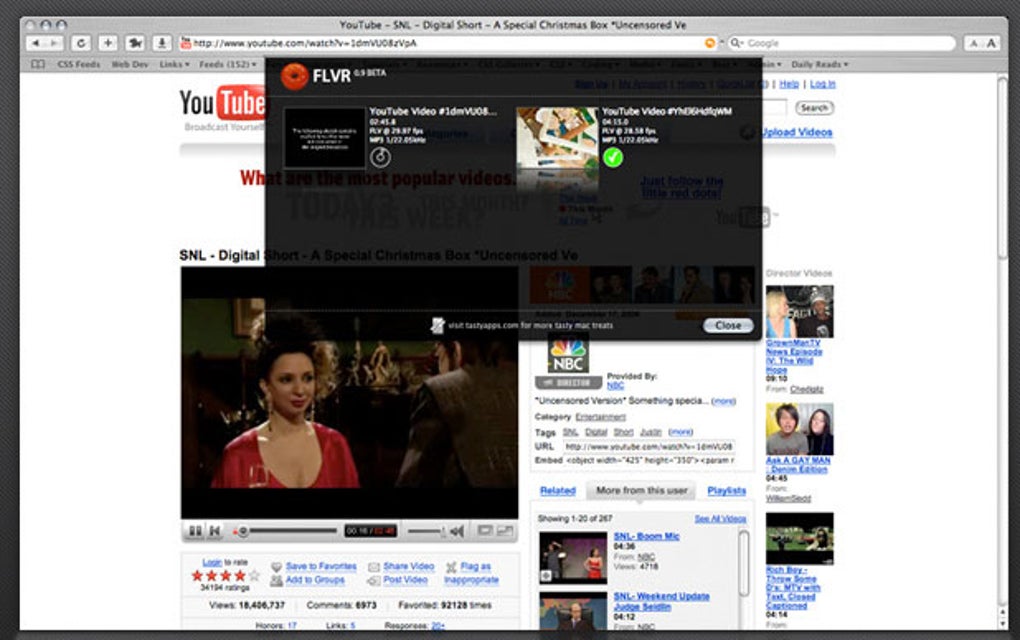
Within a few seconds, the tool queries both YouTube and Google Video, then populates a scrollable list with matching titles. Click a result to view a short preview; then hit the Download button to fetch the video. The file is automatically converted to QuickTime format and saved in your ~/Movies/Videobox folder, ready for immediate playback in QuickTime Player, iTunes, or any compatible media library.
Videobox is built exclusively for macOS (10.9 Mavericks and later). The application runs natively on Intel‑based Macs as well as Apple‑silicon (M1, M2) machines thanks to Apple’s Rosetta 2 translation layer. While the original widget was conceived for the classic Dashboard environment, a modern menubar version ensures compatibility with macOS Catalina, Big Sur, Monterey, and Ventura. No Windows, Android, or iOS version exists at this time, but the resulting QuickTime files can be transferred to iPhone or iPad via AirDrop, iCloud Drive, or iTunes syncing.
Updates are delivered through an automatic check‑in each time you launch the app. If a newer version is available, a discreet notification appears, allowing you to download and install the patch with a single click. This process keeps the search algorithms aligned with YouTube’s evolving API and ensures continued ability to download new video formats as they emerge.
Pros, Cons & Frequently Asked Questions
Pros
- Fast desktop search without opening a web browser.
- Free, ad‑free experience with no hidden fees.
- Automatic conversion to a widely supported QuickTime format.
- Lightweight and low‑impact on system performance.
- Batch download option for power users.
Cons
- No access to YouTube comments, likes, or view counts.
- Only available for macOS; no native Windows or mobile app.
- Search results may duplicate across YouTube and Google Video.
- Relies on Flash‑based streams; may lose compatibility if sites fully retire Flash.
- Limited to downloading public videos; private or age‑restricted content is ignored.
FAQ
Is Videobox completely free?
Yes, Videobox is offered at no cost. The developer does not embed ads or require a subscription. Optional donations are accepted via the website, but they are not required for full functionality.
Can I download videos that are marked as “private” or “age‑restricted”?
No. Videobox respects the access controls set by the video host. Only publicly available streams can be fetched. Private or age‑restricted videos will not appear in the search results.
What video formats are supported for download?
The tool primarily extracts Flash‑based MP4 streams and then converts them to QuickTime (.mov). The conversion ensures playback on all Apple devices. Other container formats are not currently supported.
How secure is the downloaded file?
Videobox downloads directly from the source URL and does not inject any third‑party code. The resulting file is stored locally on your machine, and you can scan it with any antivirus program. No telemetry or data collection is performed.
Will Videobox continue to work after YouTube fully retires Flash?
The developer plans to update the extraction engine to use YouTube’s modern DASH or HLS streaming protocols. However, until an update is released, certain newer videos may not be downloadable. Regular updates are encouraged to maintain compatibility.
Overall, Videobox delivers a focused, secure, and free solution for Mac users who need quick offline access to YouTube and Google Video content. Its simplicity is both a strength and a limitation—while it lacks social features and broader platform support, the core function of search‑and‑download works reliably and without clutter.







